Want to block ads in these apps?
Want to block ads in these apps?
Want to block ads in these apps?
The certificate is installed correctly
You are good to go!
Want to block ads in these apps?
✅
Step 1.
It is important that you review and agree to our Privacy Policy. It includes important information about what information we will collect and your rights over that information.
Some Key Points:
Step 3.
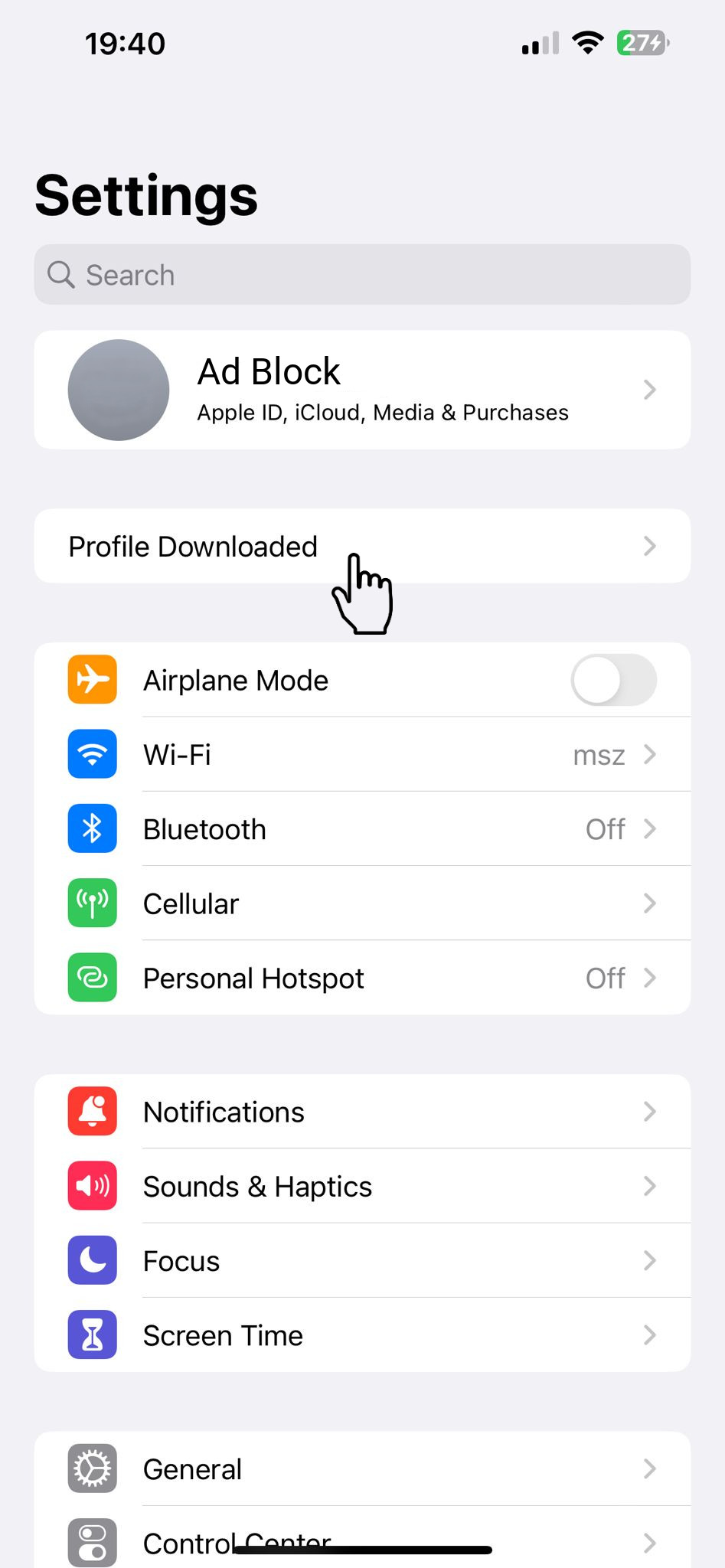
Open the  설정 App and:
- Tap on 프로파일이 다운로드됨
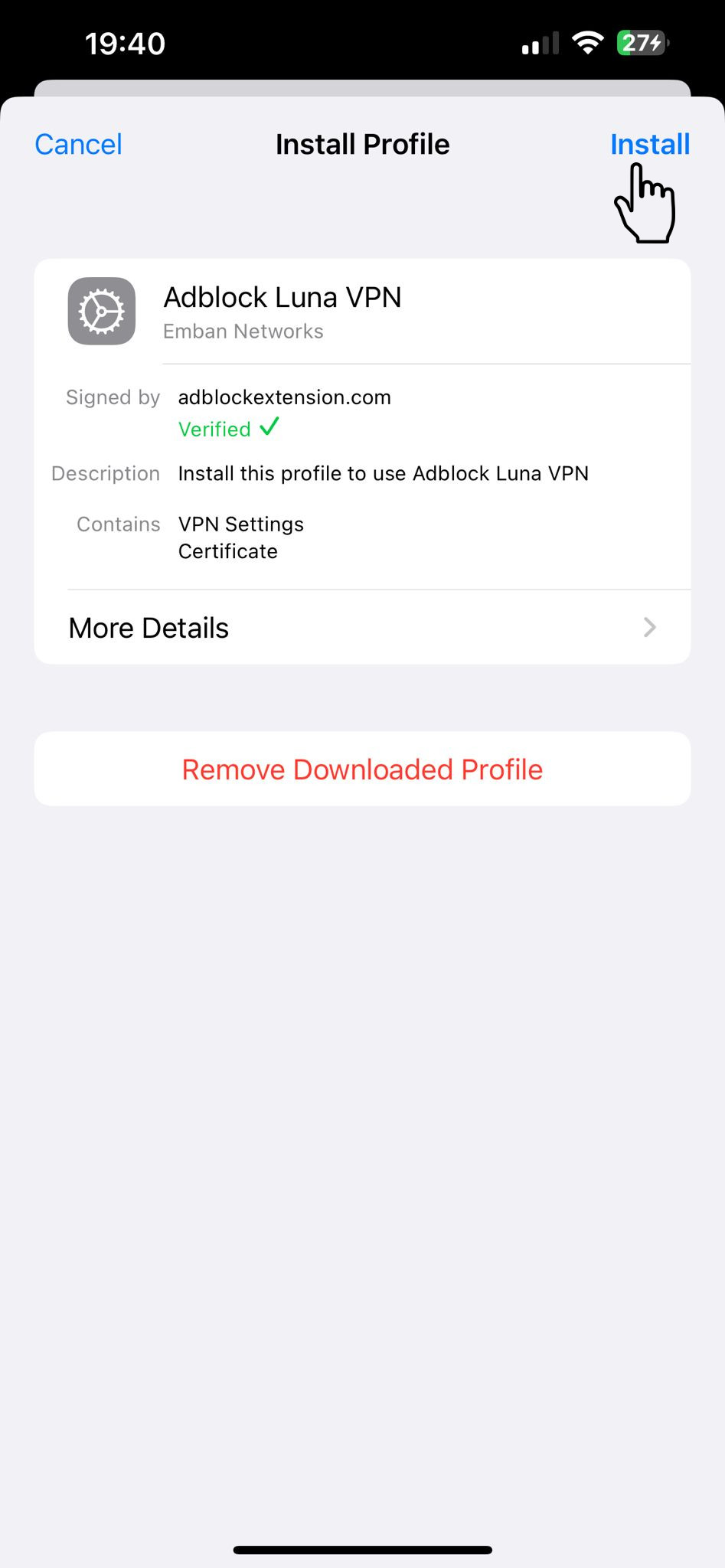
- Tap 설치 and follow installation of "Adblock Extension"
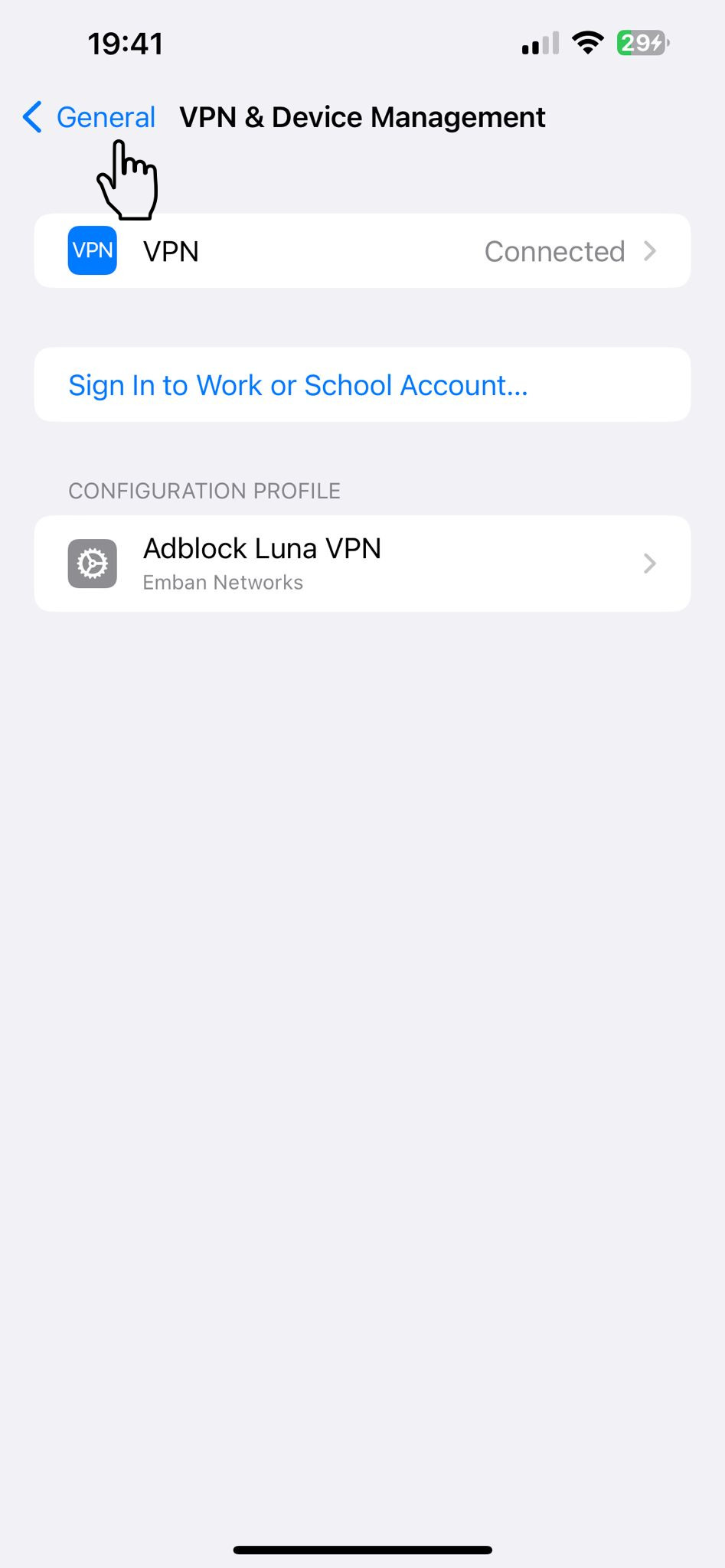
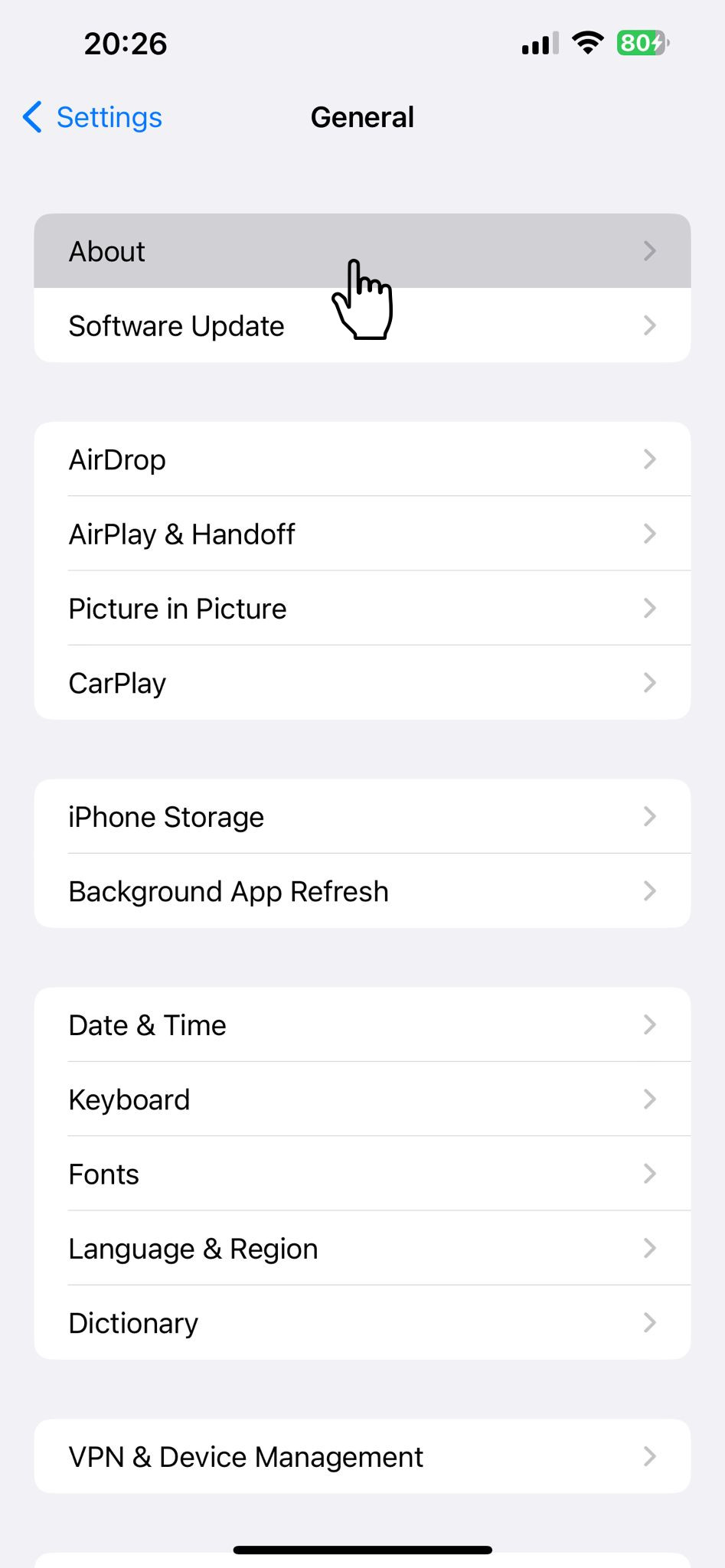
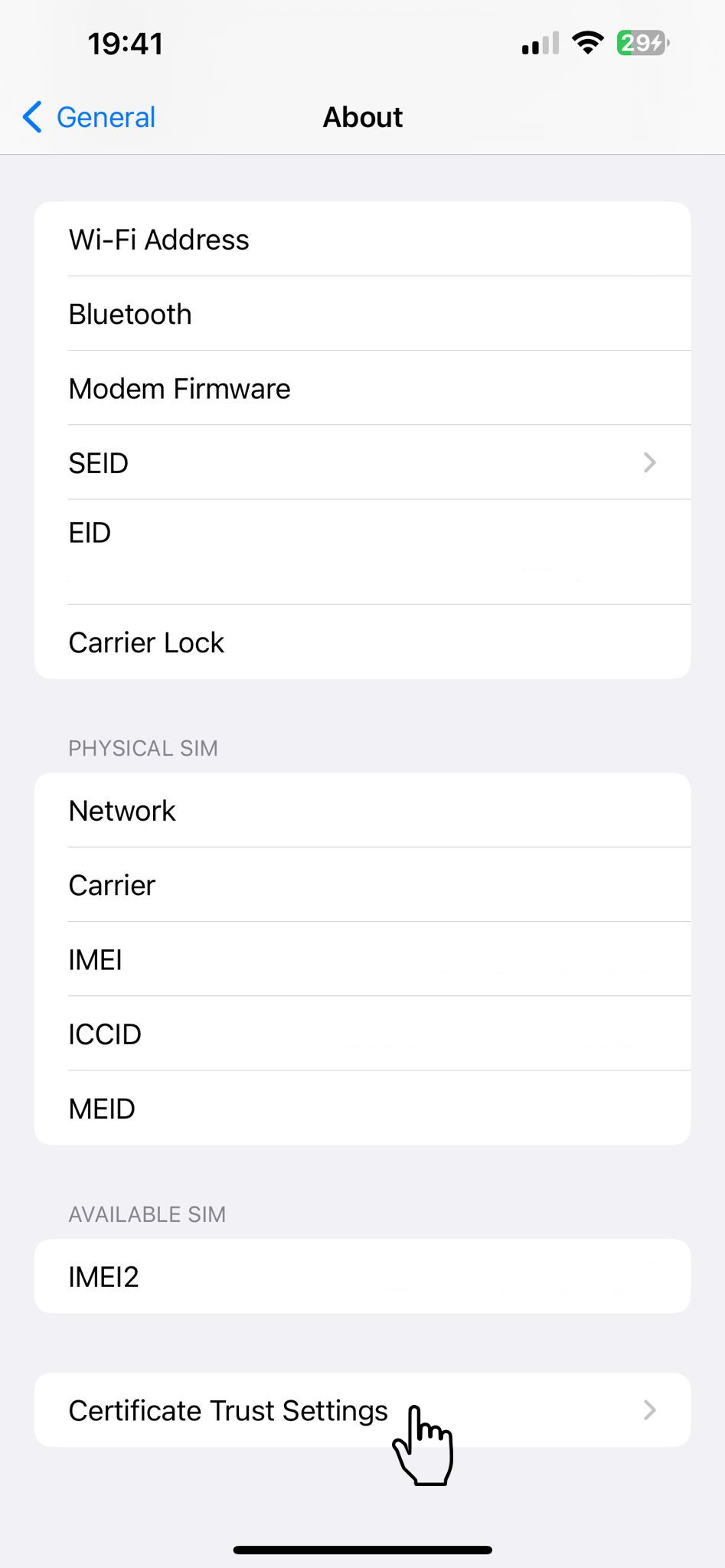
- Go to 일반 → 정보 → 인증서 신뢰 설정
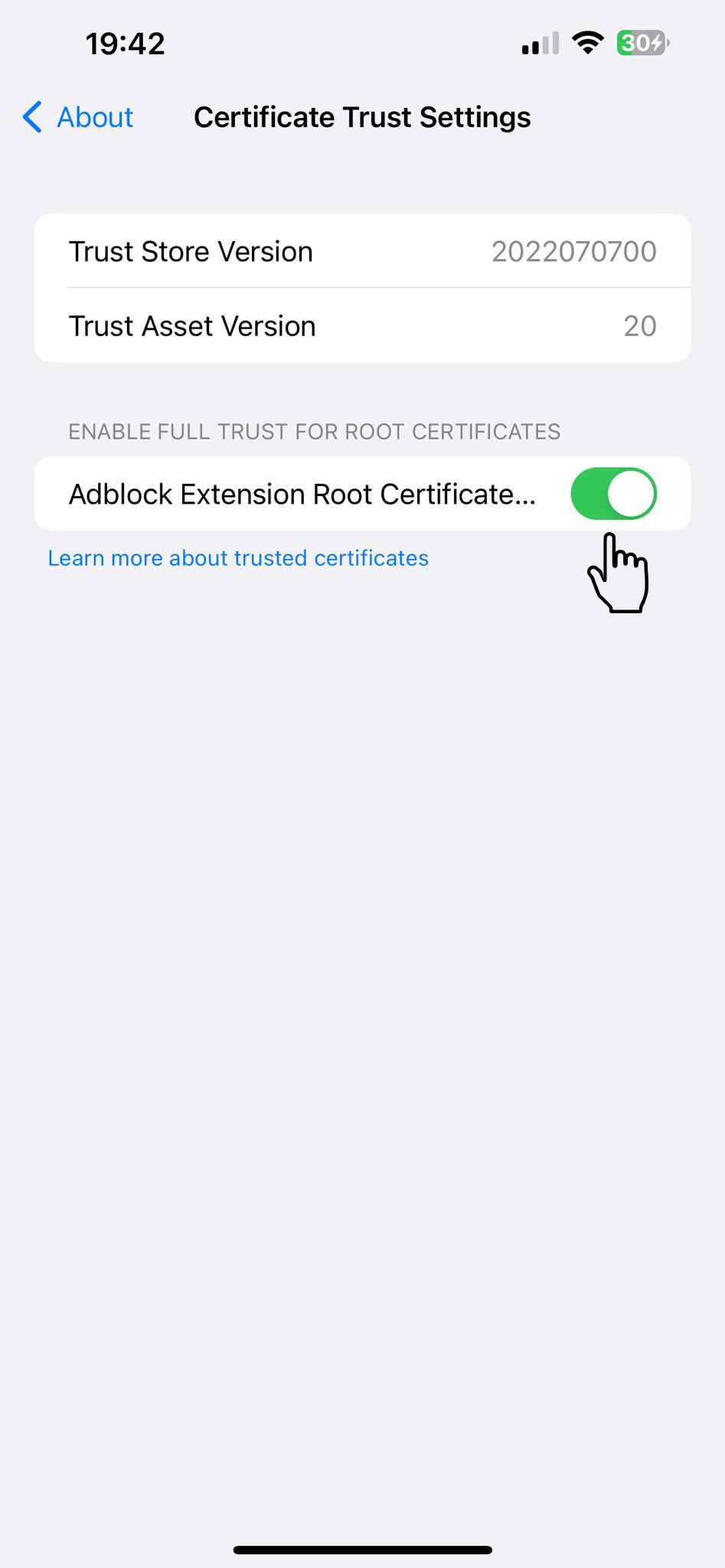
- Turn on the "Adblock Extension Root Certificate".
- go to 일반 → 정보 → 인증서 신뢰 설정
- and turn on the "Adblock Extension Certificate".